Your day and your family's, on one screen
Plans in three group chats, the shopping list on the fridge, and someone always asking what time football is. HopLife is a personal and family organizer: your own tasks, notes and budget, and the family's calendar, chores, lists and locations, in one place.
Free plan available. Works in the browser on your computer, tablet and phone.
What time is football again?
Asked three times in the family chat, and still nobody knows who's driving.
Know what's on before anyone asks
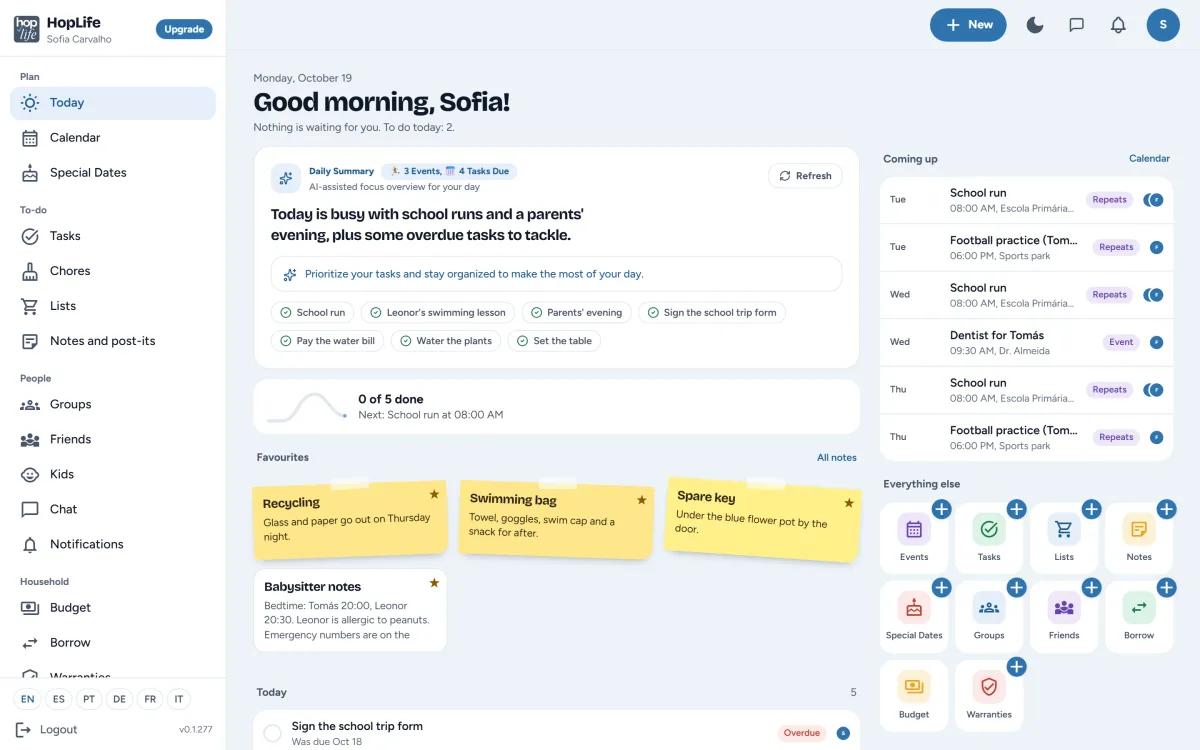
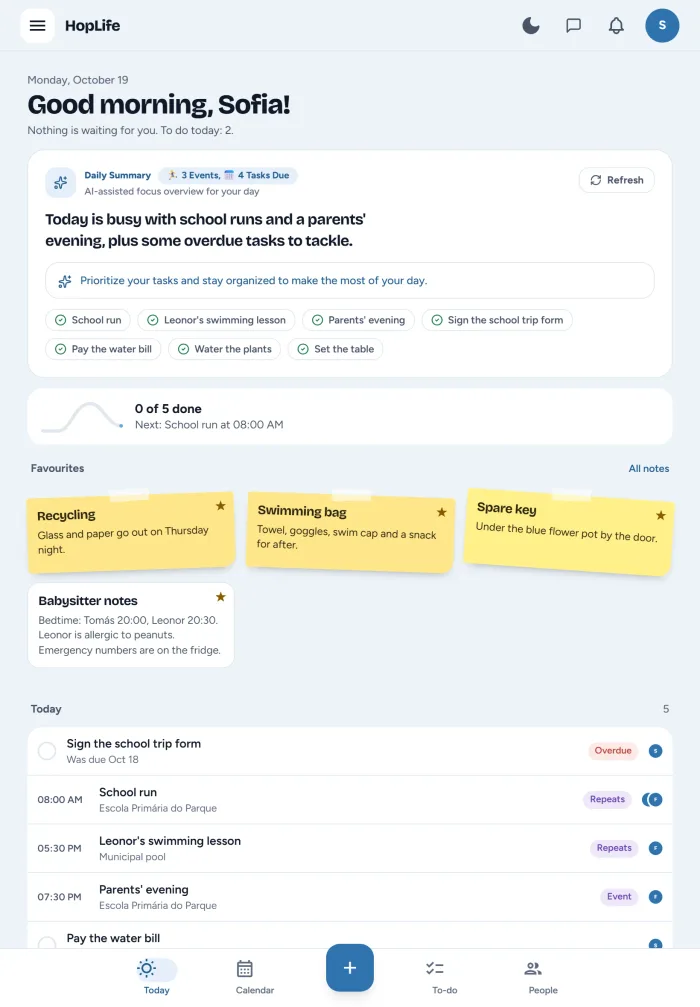
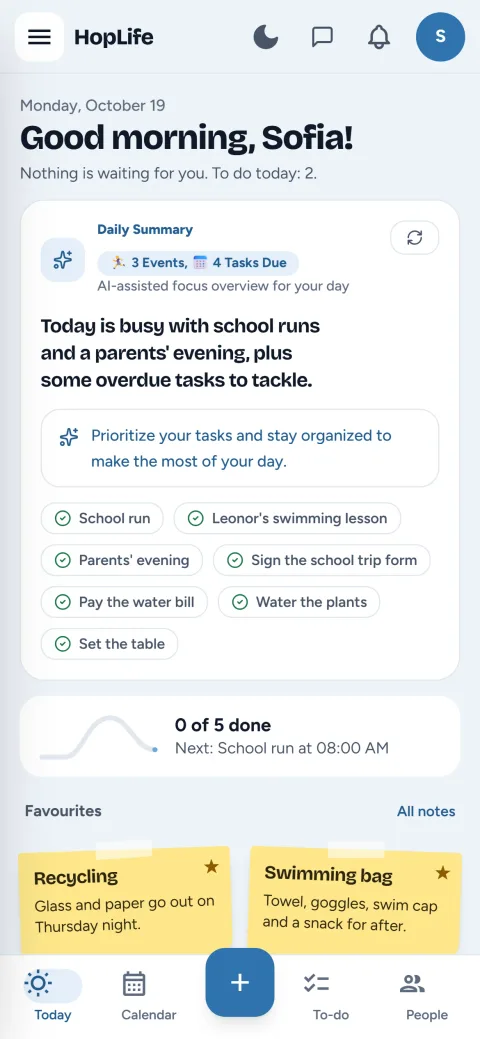
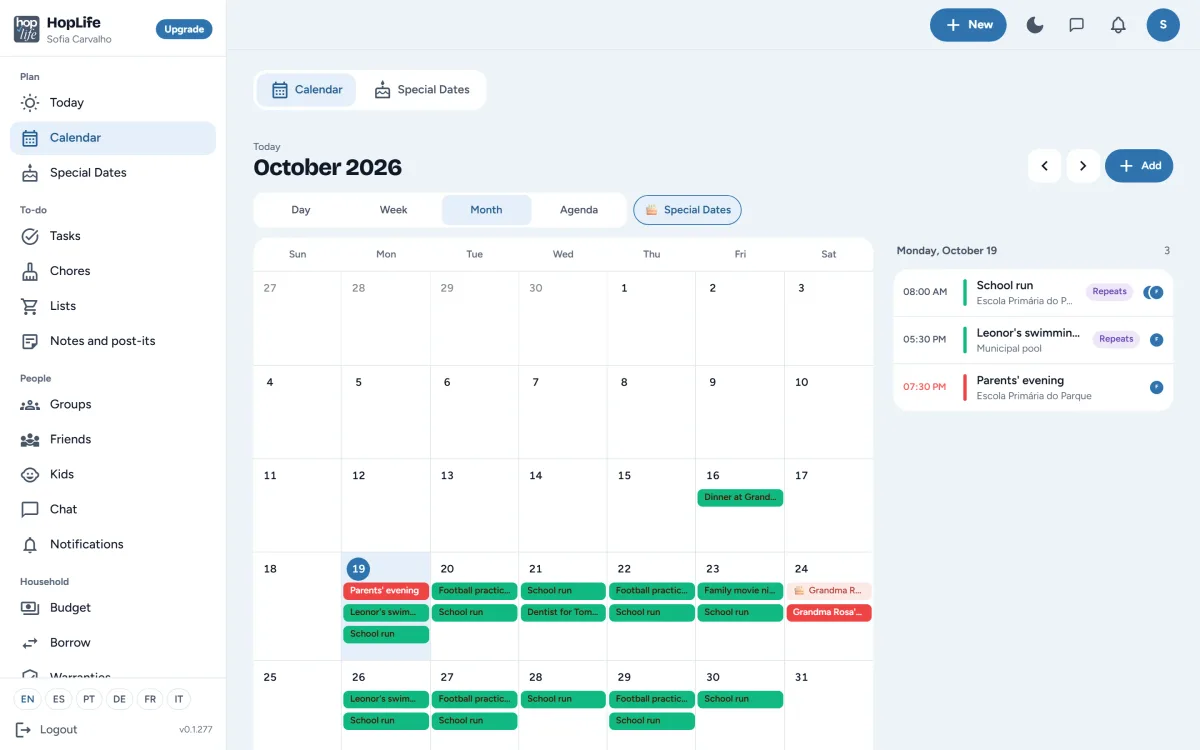
When plans live in group chats and in someone's head, somebody always misses something. Today lists the day's events and due tasks in time order, with a short summary at the top and the next few days beside it. The calendar shows everyone by day, week, month or as an agenda, each group in its own colour.
- Repeating events for the school run, swimming and football
- Invite people to an event and see who's coming
- Birthdays and anniversaries from Special dates, right in the calendar
In the Plan menu: Today Calendar Special Dates
Whose turn is it to set the table?
And who said they'd buy milk on the way home?
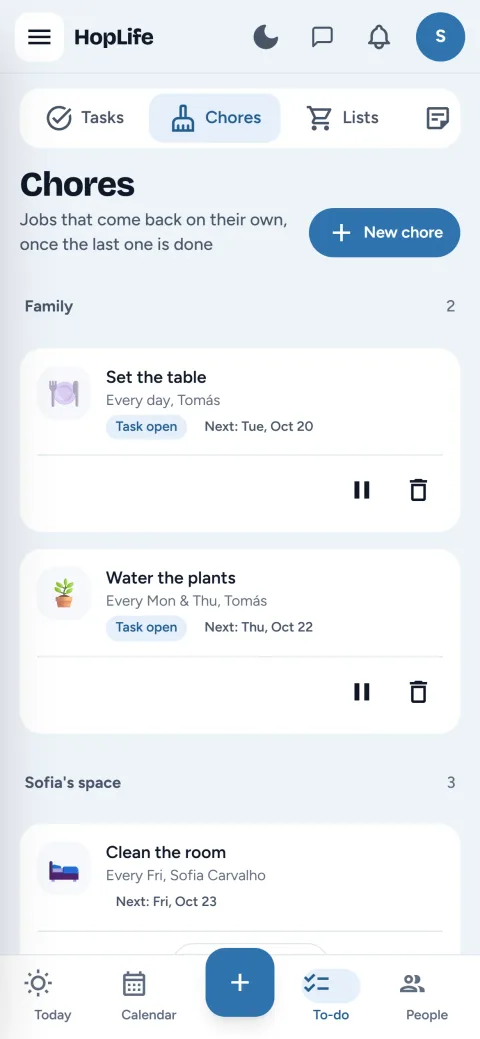
Chores that come back on their own
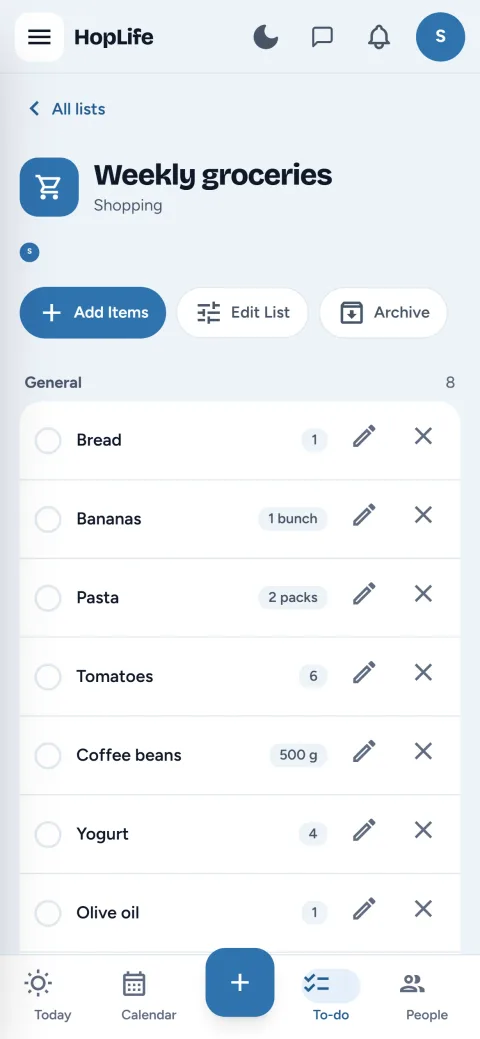
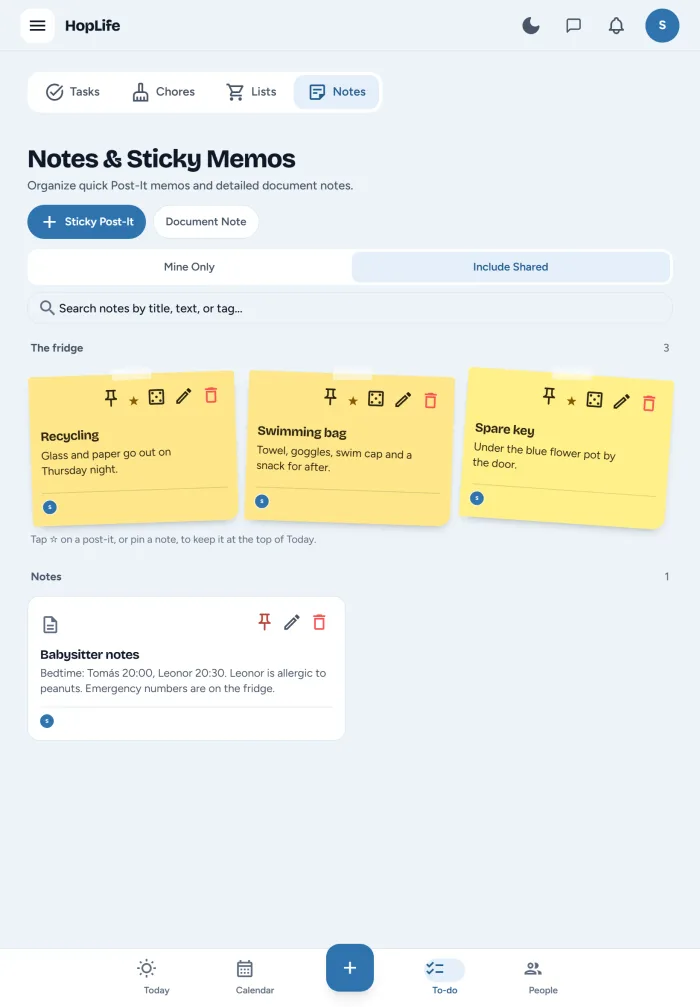
Reminding the same people about the same jobs every week wears everyone out. Set a chore up once, like setting the table every day or watering the plants on Mondays and Thursdays, and HopLife creates the next one when the last is done. Tasks go to you or anyone in your groups, lists can be yours or shared, and post-its go on the family fridge.
In the To-do menu: Tasks Chores Lists Notes and post-its
Have you done your chores yet?
Asked every evening, answered with a shrug.
Chores the kids actually want to finish
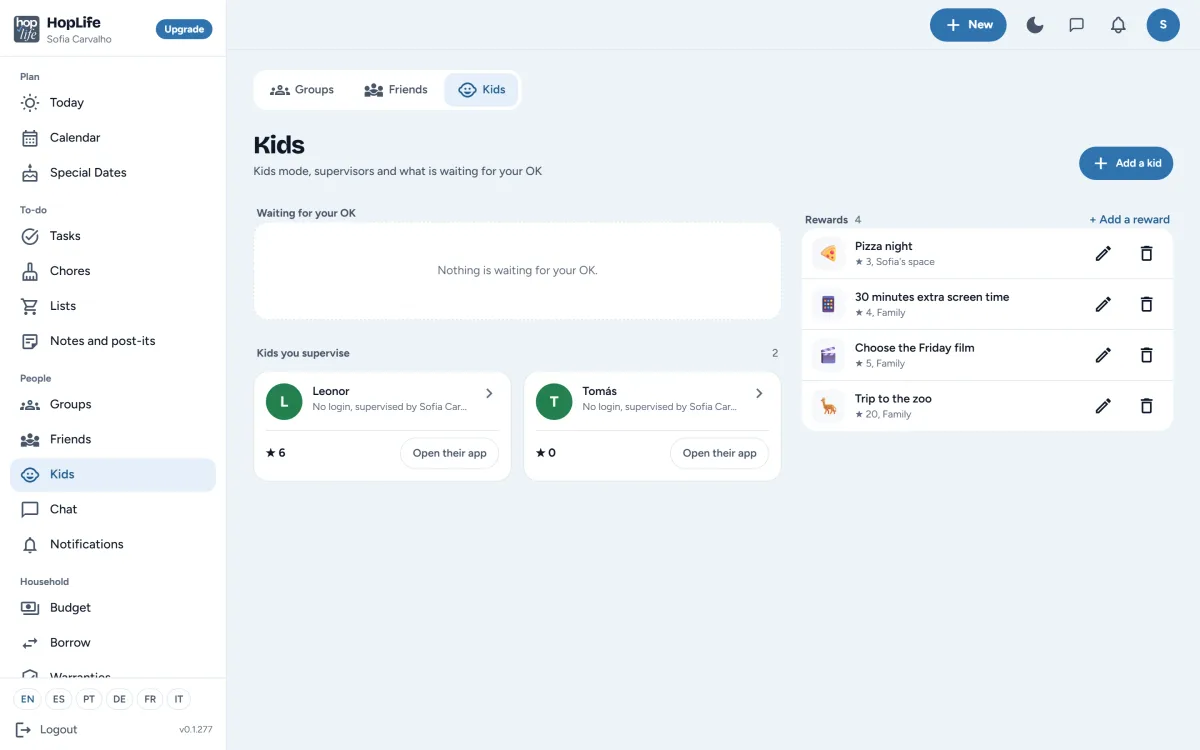
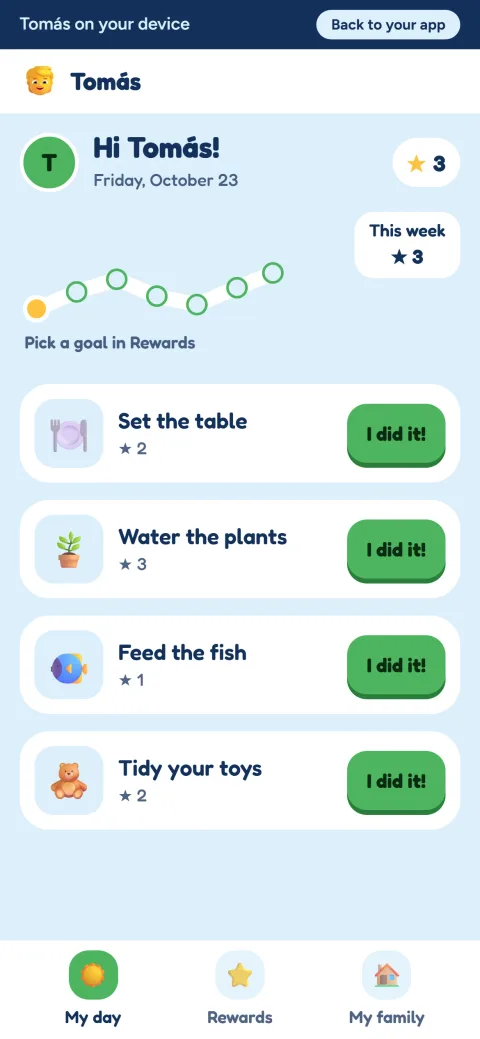
Nagging doesn't work; stars do. Kids get their own bright, simple app with just their day, their chores and their stars, and they spend the stars on rewards you set, like pizza night or picking the Friday film.
- Kids don't need an email address: they can use the app on your phone or tablet
- You choose which chores need your OK before the stars count
- Rewards with a star price, so they can save up for the bigger ones
In the People menu: Groups Kids Chat
What it looks like for them
Big buttons, emoji instead of long words, and only what's theirs today. Here's Leonor packing her school bag.
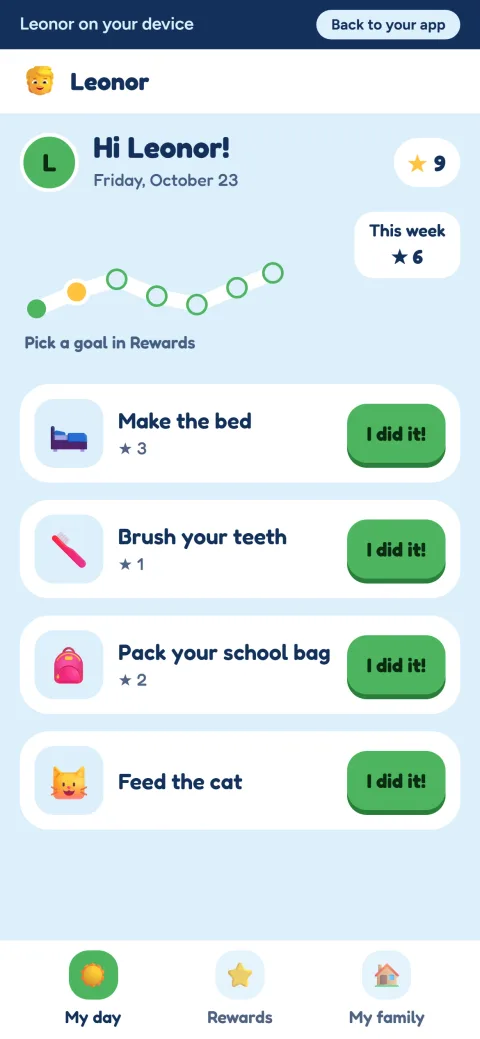
Leonor sees today's chores and taps "I did it!" once her school bag is packed.
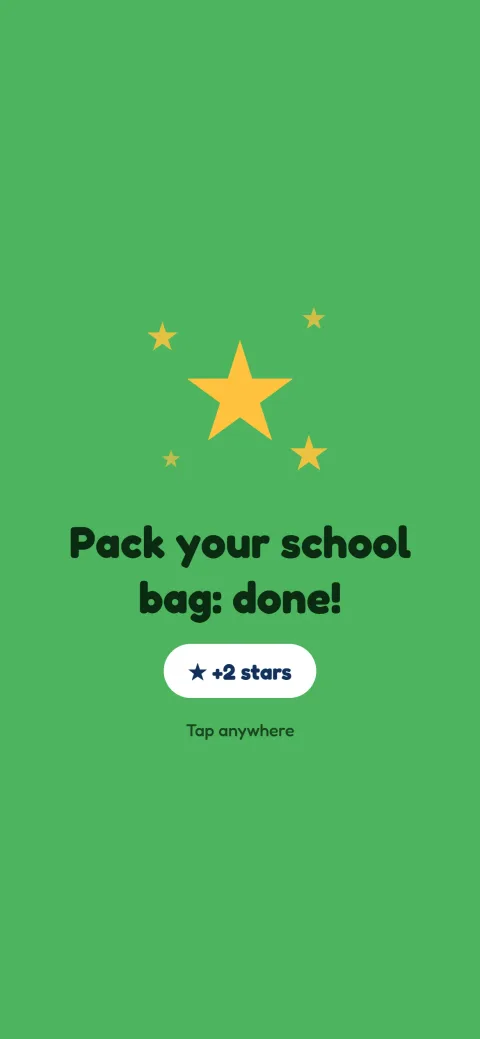
The stars arrive straight away, with a little celebration.
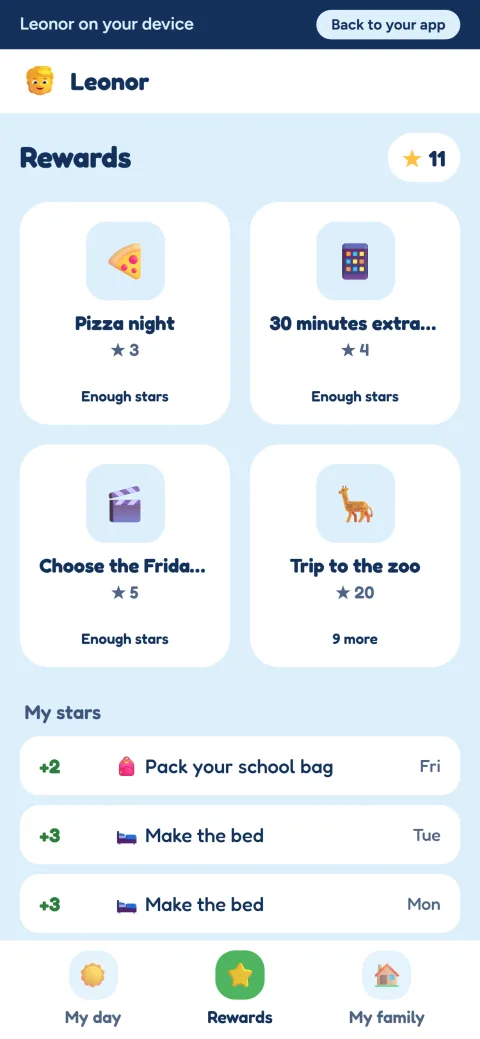
She saves them up for a reward you set, like choosing the Friday film.
Did she get to school okay?
"Where are you?" sent ten minutes ago. Still no reply.
Know they got there, without calling
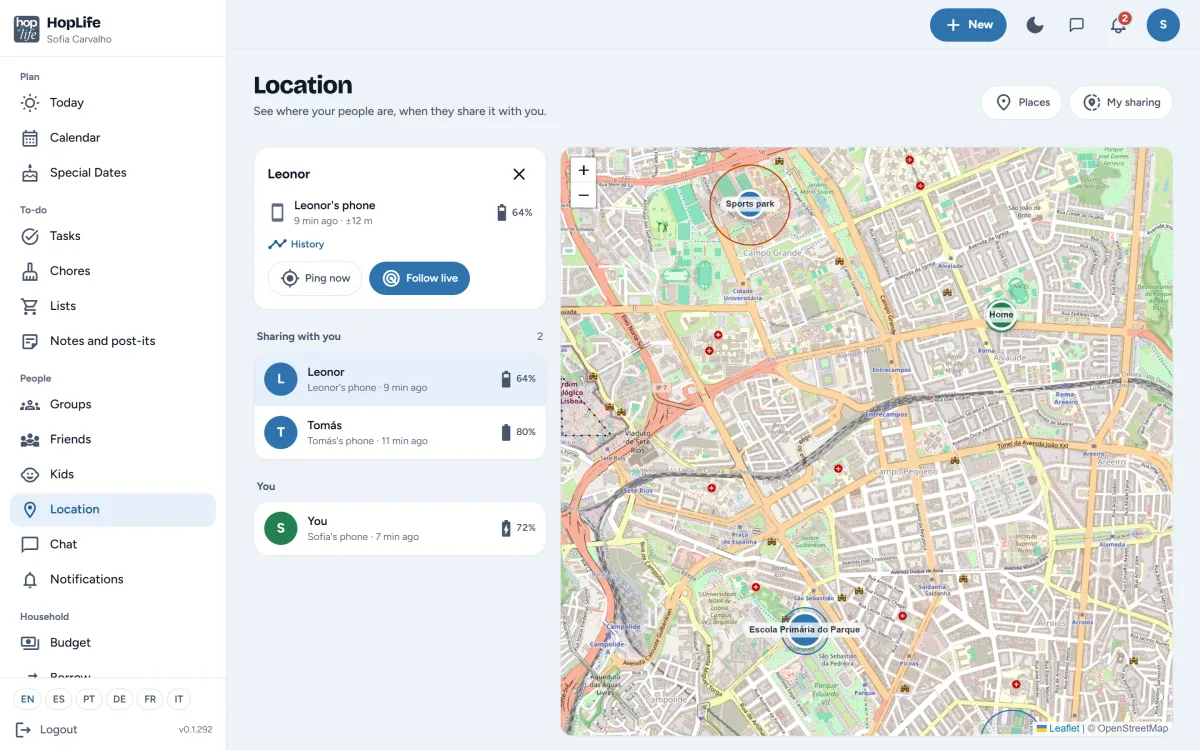
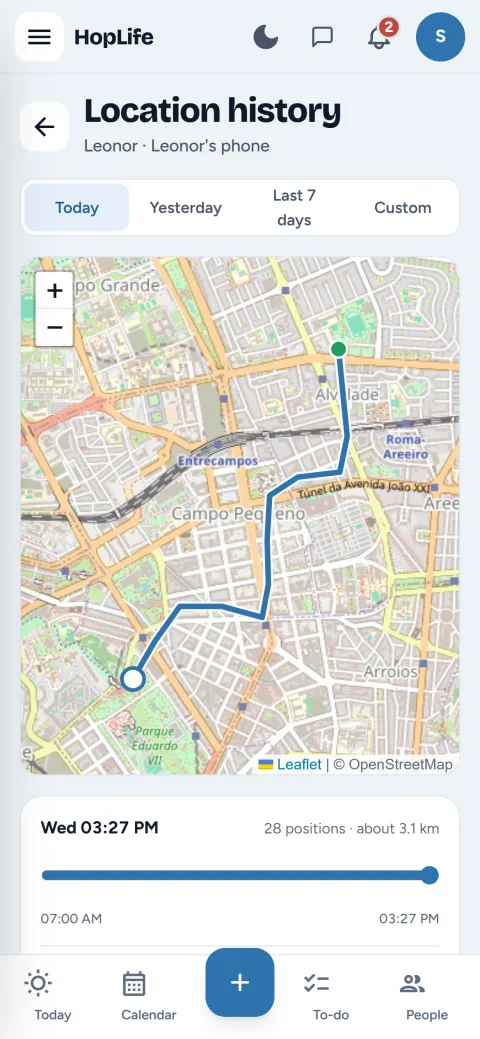
Asking "where are you?" and waiting for an answer isn't a plan. People who want to can share where their phone is with the people they choose, and see the family on one map. HopLife tells you when someone gets to school or leaves practice, so nobody has to ask.
- Sharing is on or off, per device, and each person chooses who sees it
- An alert when someone arrives at or leaves a place, like school or home
- Ping now for an exact position, or follow live for five minutes on the way to pick them up
- Where a device has been, for a day or a period, kept for 7, 30 or 90 days
Sharing your location is part of the paid plans. Seeing what others share with you is free.
In the People menu: Location
Is the washing machine still under warranty?
The receipt is somewhere in a drawer. Probably.
Money and paperwork, sorted
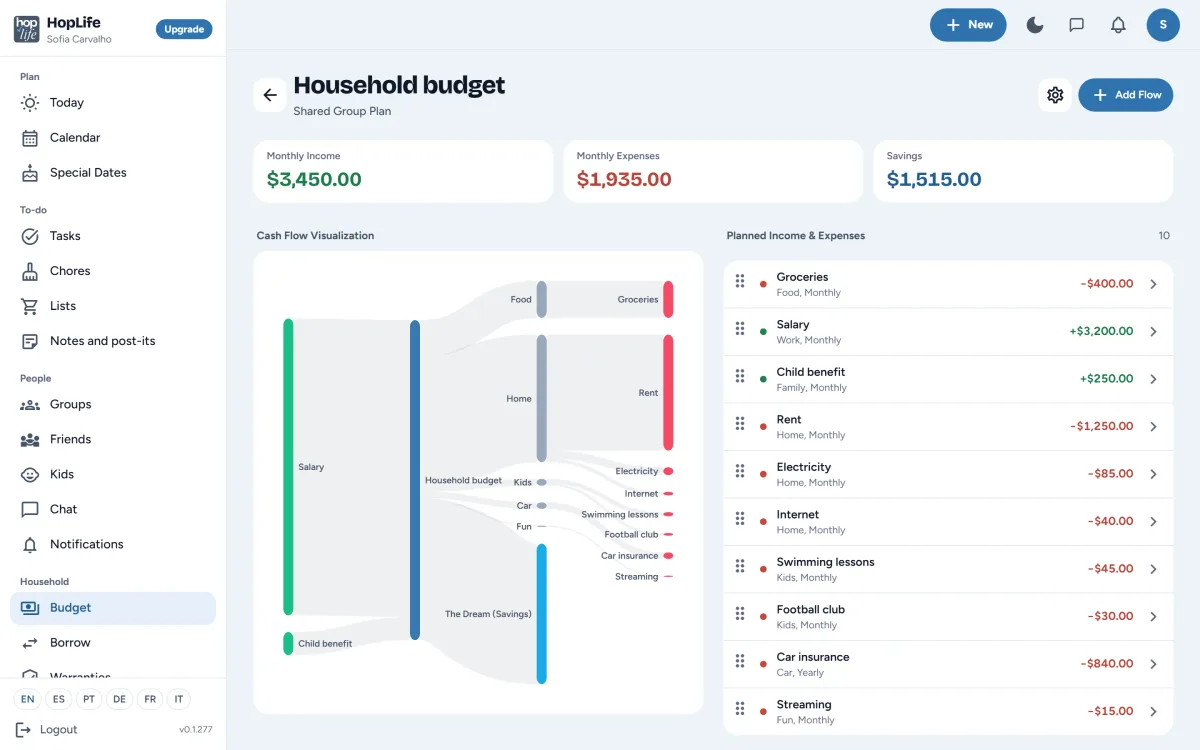
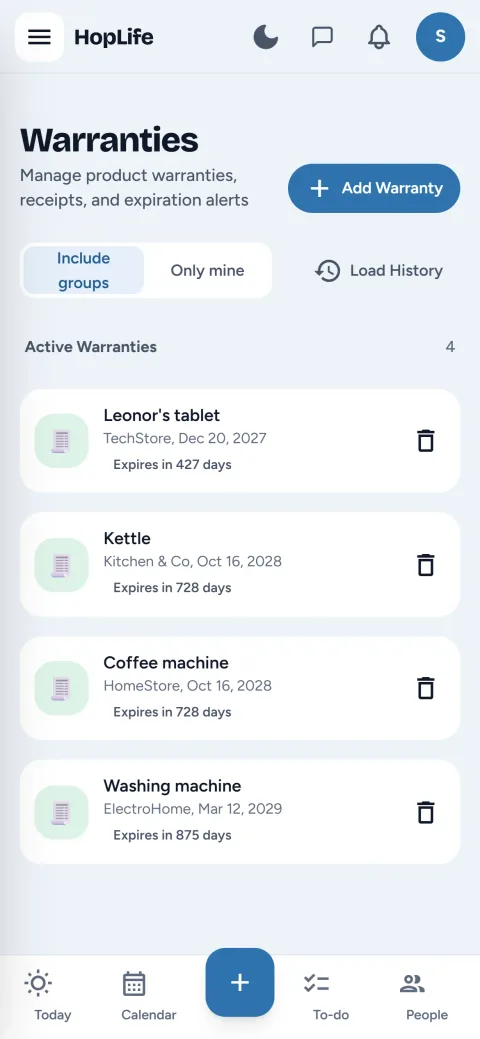
Bills, subscriptions and receipts end up in different places until something goes wrong. The budget shows where the month's money goes, from salary to rent and swimming lessons, in one flow chart, for yourself or the whole household. Warranties keeps purchase and end dates for the kettle, the washing machine and the kids' tablet, so you know what's still covered before you pay for a repair.
- Monthly and yearly income and costs, just yours or the whole household's
- Warranty end dates, with a reminder before they run out
- Borrow keeps track of who has the drill, and money you've lent
In the Household menu: Budget Borrow Warranties
Made for life at home, not for the office
On every screen at home
HopLife runs in the browser on computers, tablets and phones, and installs on the home screen like an app. Everything stays in sync, so an item added on one phone is on the iPad a moment later.
Your family's data stays yours
HopLife follows the Swiss nFADP and the GDPR. You can download all your data or delete your account at any time from your profile.
In six languages
English, Spanish, Portuguese, German, French and Italian. Everyone in the family picks their own.
Bring in what you already use
Import your calendars and contacts from a file, and choose what comes in and who it's for. Nothing is connected to your other accounts, and nothing syncs in the background.
- GoogleCalendar and contacts
- AppleiCloud calendar and contacts
- OutlookCalendar and contacts
- ProtonCalendar and contacts
- YahooCalendar and contacts
Any other app that exports .ics, .vcf or .csv files works too.
How to import a Google CalendarHow to import Google Contacts
Maps © OpenStreetMap contributors. Payments are handled by Paddle.
Google, Apple, iCloud, Microsoft, Outlook, Proton and Yahoo are trademarks of their owners. HopLife isn't affiliated with, sponsored by or endorsed by any of them; it reads the files their apps export.
Questions families ask
All questions and answersWhat is HopLife?
HopLife is a personal and family organizer app. It brings your own tasks, notes, budget and warranties together with a shared calendar, repeating chores, shopping lists, birthdays and borrowed items, for people on their own, couples, families and anyone sharing a home.
Can I use HopLife on my own?
Yes. Everyone gets a personal space for their own tasks, notes, lists, budget and warranties. Create a group and invite others only when you want to share something, like the family calendar or the shopping list.
Is HopLife free?
Yes, there's a free plan you can use for as long as you like. Paid plans add more, and you can compare them in the app before you decide.
Can children use HopLife?
Yes. Kids mode gives children their own simple app with their day, their chores and the stars they've earned, which they can spend on rewards you set. Children don't need an email address, and a parent or another adult you choose supervises them.
Can I see where my family is?
Yes, if they choose to share it. Each person turns location sharing on or off per device and picks who can see it. You see everyone on one map, get an alert when someone arrives at or leaves a place, can ask a phone for its position right now, or follow it live for five minutes. Sharing a location needs a paid plan; seeing what others share with you is free.
How do I share it with my family?
Create a group for your family and invite the others by email. Once they join, events, tasks, lists and notes you add to the group are shared with everyone in it.
Which devices does HopLife work on?
Any up-to-date browser on Windows, Mac, iPad, iPhone and Android. You can add HopLife to your home screen and open it like an app.
Is my family's data private?
Yes. HopLife follows the Swiss nFADP and the GDPR. Only the people you share something with can see it, and you can download or delete all your data from your profile at any time.
Start with your own day, then bring in the family
Create your free account in a minute. Invite the others whenever you're ready.